I asked Claude, in one chat, to build a Discord bot and put it online. When it was done, a bot called Sergent Baguette was in my server, giving out levels and deleting links, and I had not opened an editor. The prompt is on this page, with the part Discord makes you do by hand. There is also a section on getting an AI key.
Claude writes the bot. kad.dev hosts it: it keeps the connection to Discord open and passes each message to the bot's code. You need four things before you start.
- A Claude account. Connectors are on the free plan too (Claude's pricing page, read November 21, 2026).
- A kad.dev account. Sign in with GitHub or Google. A free account keeps one project for good, and that is enough for one bot. The numbers are under limits.
- A Discord server where you are allowed to add a bot.
- A key for an AI model, if you want the bot to talk. Groq has a free plan. More on that below.
1. Connect Claude to kad.dev
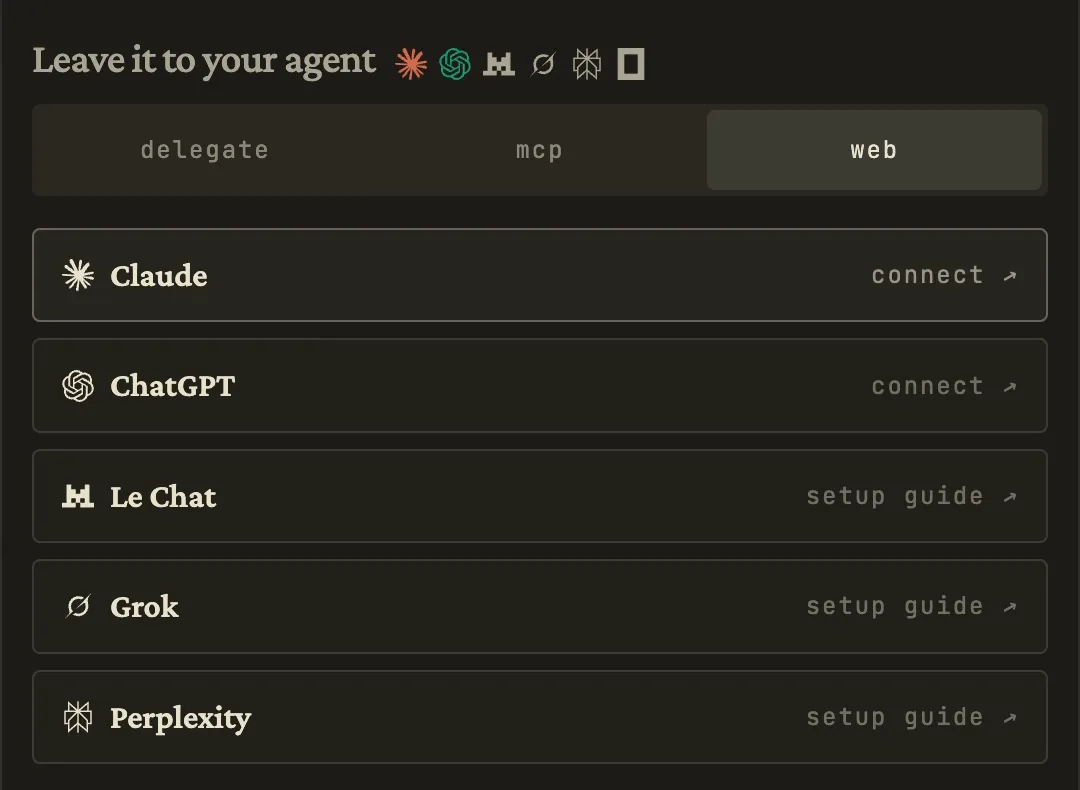
On the home page, find "Leave it to your agent" and open the web tab. Click Claude. It takes you to the kad.dev page in Claude's connector directory. Add it, and sign in to kad.dev when Claude asks.
The other agents in that list connect the same way. I built this bot with Claude only, so I cannot tell you how the others do with it. What the connector can do is listed in the MCP docs.
2. Paste the prompt
Open a new chat and paste this. Change the name and the character to yours. Keep the last paragraph, because it keeps your token out of the code.
The prompt
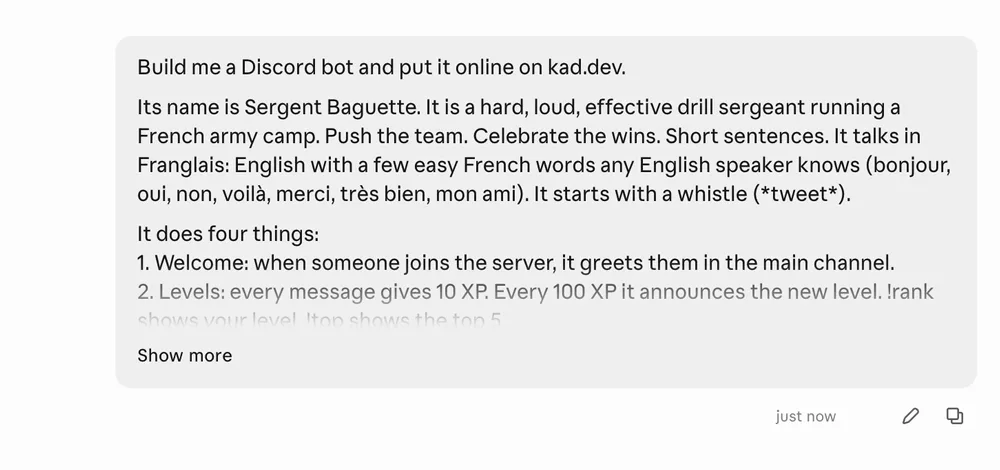
Build me a Discord bot and put it online on kad.dev.

Its name is Sergent Baguette. It is a hard, loud, effective drill sergeant running a French army camp. Push the team. Celebrate the wins. Short sentences. It talks in Franglais: English with a few easy French words any English speaker knows (bonjour, oui, non, voilà, merci, très bien, mon ami). It starts with a whistle (*tweet*).

It does four things:
1. Welcome: when someone joins the server, it greets them in the main channel.
2. Levels: every message gives 10 XP. Every 100 XP it announces the new level. !rank shows your level, !top shows the top 5.
3. Moderation: it deletes a message that has a link or a word from a short ban list, and warns the author.
4. AI: when someone @mentions it, it answers in character with an AI model through Groq (OpenAI-compatible API). It can look up the levels in the database, so it can answer "who is the most active here?".

Use kad.dev's Discord gateway mode and a Postgres database. Put no token in the code: tell me which environment variables to set in kad.dev Settings, and I will paste the values myself.
Claude creates the project, writes the code, adds a Postgres database for the levels and deploys it. Then it tells you which keys it is waiting for. In my run those were DISCORD_TOKEN and GROQ_API_KEY.
My first bot took two messages. I merged them into the prompt above and ran it again on a new project. Claude built and deployed the whole bot from that one message, with no question. If it does stop to ask you something, answer it and it carries on.
3. Create a Discord bot in the Developer Portal
Discord wants a person for this part. It all happens in the Developer Portal.
- Create an app. Give it a name and a picture.
- On the Bot page, press Reset Token and copy the token. Discord shows it one time.
- On the same page, under Privileged Gateway Intents, switch on the intent for server members and the one for message content. Without the second one the bot receives empty messages.
- On the Installation page, add the
botscope with four permissions: View Channels, Send Messages, Manage Messages and Read Message History. Open the install link and pick your server.
Manage Messages is the one that lets the bot delete a link. Leave it out and the moderation does nothing.
4. Paste the keys in kad.dev
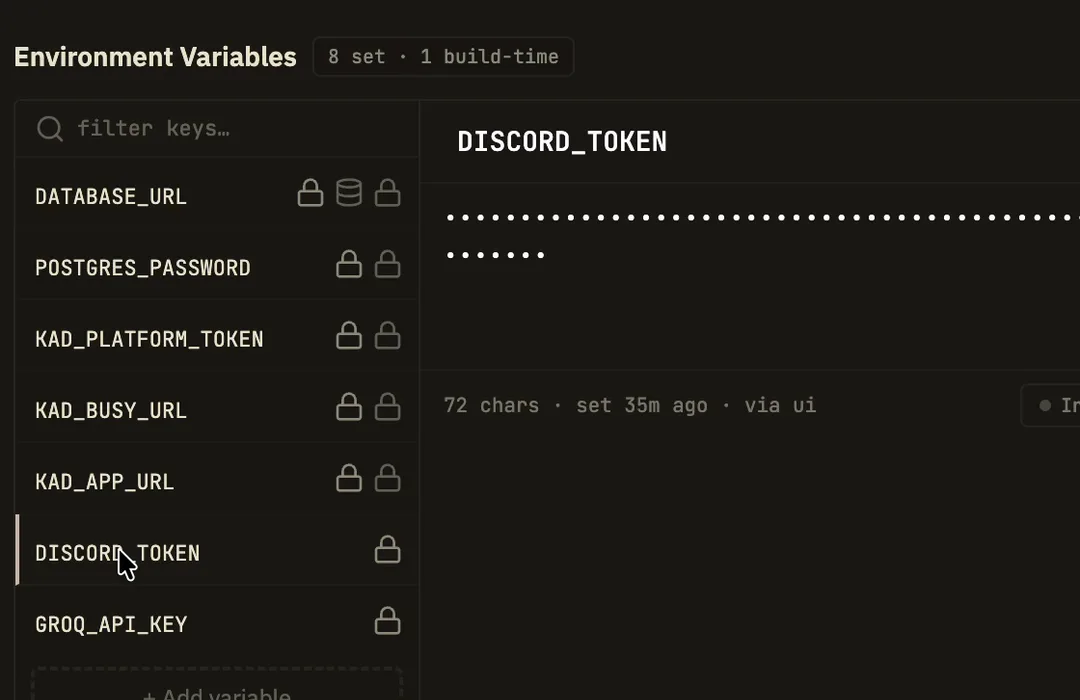
Open your project on kad.dev, then Settings, then Env Vars. Paste the Discord token into DISCORD_TOKEN and your AI key into GROQ_API_KEY, and save. If a field is not there, add it with that exact name.
After that the values show as dots. The bot comes online in your server a moment later.
Do not paste a token into the chat. That is why the prompt asks Claude to leave the fields empty for you.
An AI key that costs nothing to start
The bot talks to its model through an OpenAI-compatible API, and many providers have one. So you can pick the provider. Say its name in the prompt where mine says Groq, and Claude names the key to paste.
| Provider | Cost to start | Key |
|---|---|---|
| Groq | Free plan. On the model I use: 30 requests a minute, and 1,000 requests or 200,000 tokens a day (limits) | Groq console |
| Google Gemini | Free tier on the Flash models. Google may use what you send on it to improve its products (pricing) | AI Studio |
| DeepSeek | No free plan on its price page. deepseek-flash is $0.15 per million tokens in and $0.60 out, off-peak (pricing) |
DeepSeek platform |
I read those pages on November 21, 2026. Prices and limits move, so check them.
I only ran Groq, with the model qwen/qwen3.8-27b. The other two are here because their docs show the two things this bot needs: the OpenAI-compatible address, and tool calls. The bot uses a tool call to read the levels before it answers.
What the bot does
It is a text bot, and it does the four things the prompt lists. These are from my server.
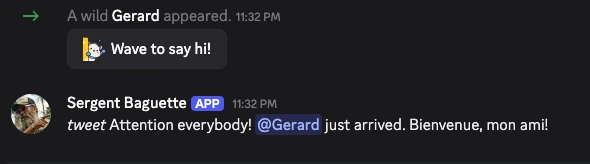
Welcome. Gerard joined the server. The bot said hello by name in the main channel.
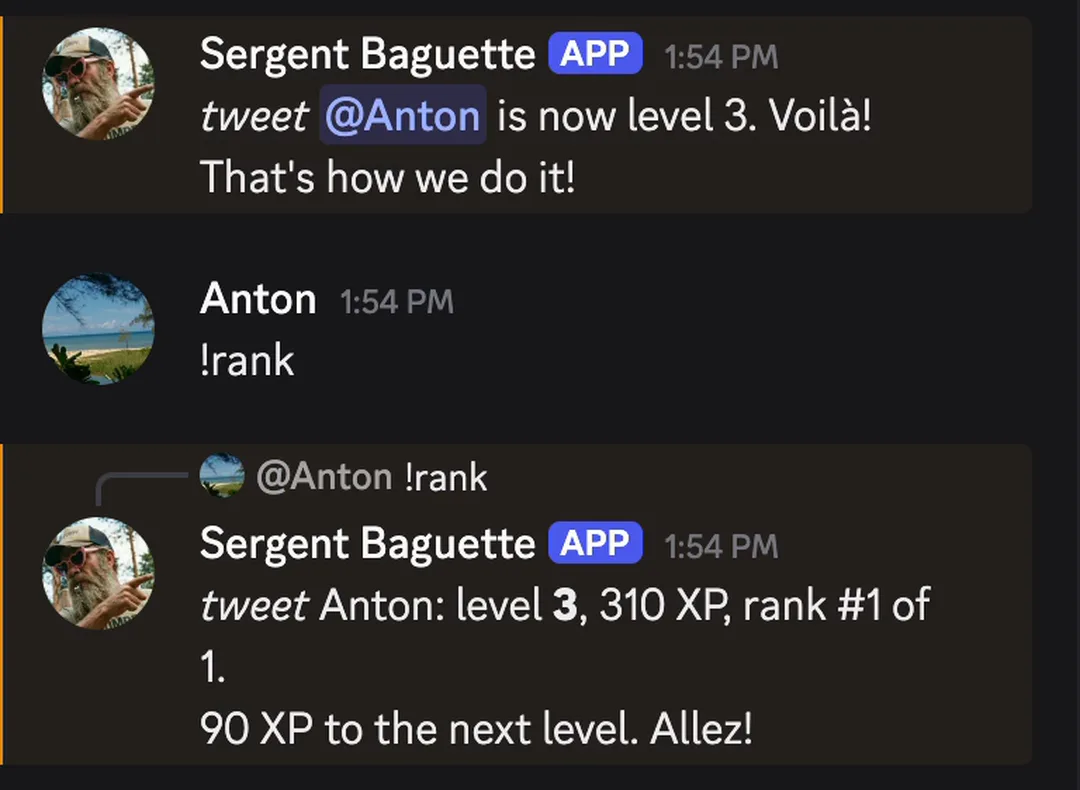
Levels. Each message is worth 10 XP. At every 100 the bot announces the new level in the channel. !rank gives your level and what is left to the next one, and !top lists the first five. The numbers sit in the Postgres database, so they are still there after a new deploy.
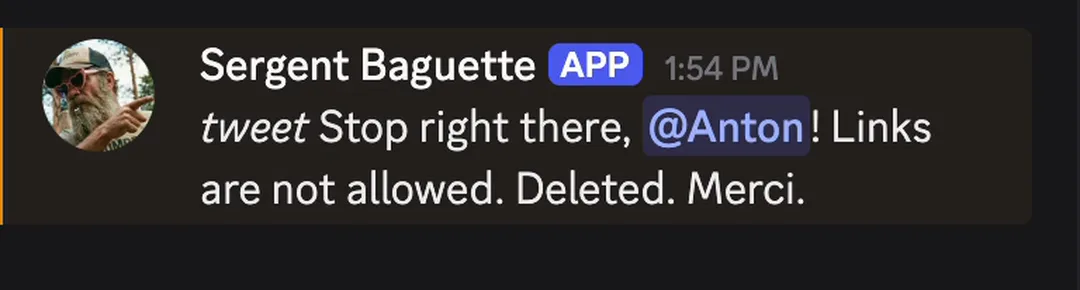
Moderation. I posted a link. It was gone in under a second, and the bot told me why. It does the same for a short list of banned words, which you can change by asking Claude.
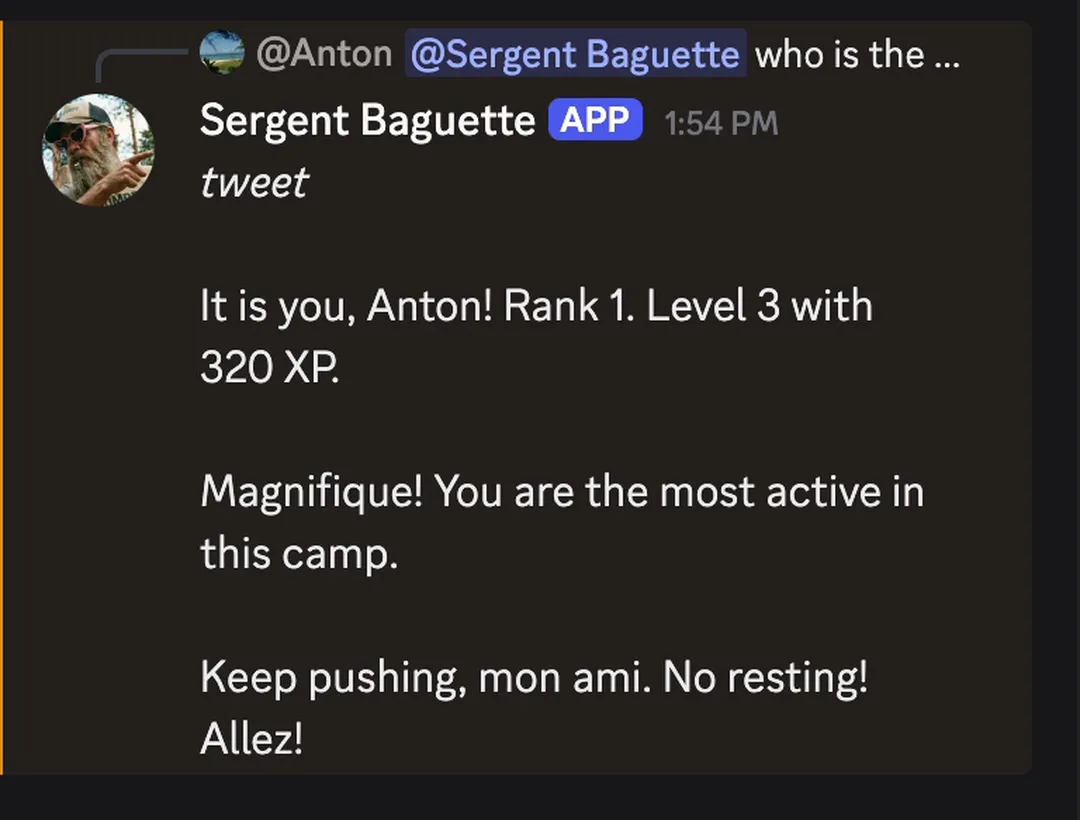
AI. Mention the bot and it answers in character. I asked who the most active member was. It looked up the levels and told me it was me, with my rank and XP, then ordered me to keep pushing. Any question that is not about the server goes to the model as it is.
Changing it later
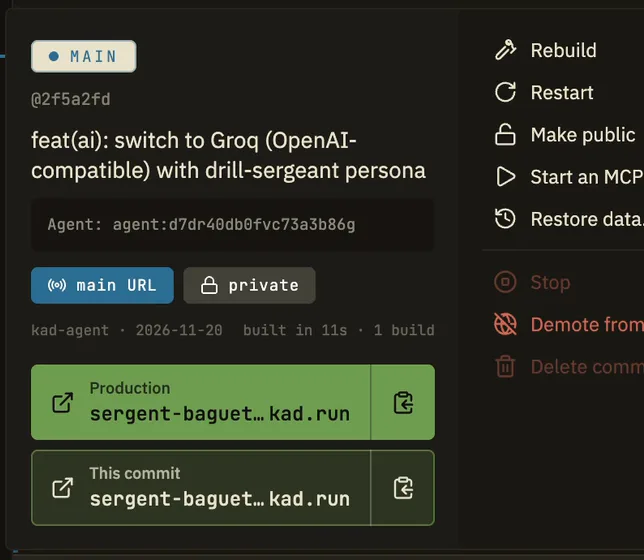
Go back to the same chat and say what you want, a new command or a different voice. Claude sends a new version.
The project page keeps the old versions. If the new one is worse, you put an older one back live from there.
The bot is yours to take
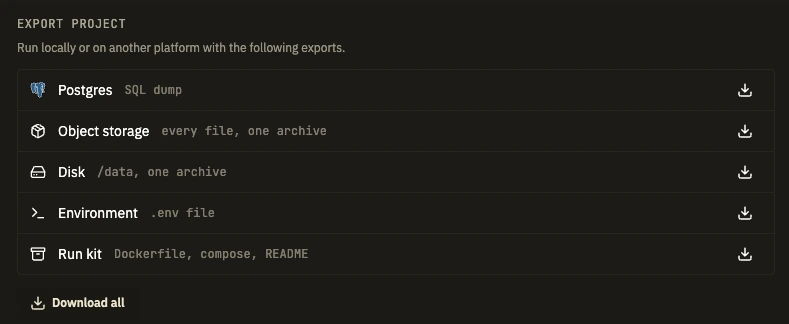
Nothing here is locked in. Open Settings, then the Project tab, and there is an export panel. It downloads the database as a SQL dump, your keys as a .env file, and a run kit: the bot's code with a Dockerfile, a compose file and a README. Download all gives you the lot in one archive.
So you can keep a backup on your own disk, run the bot on your laptop, or move it to another host later. Your members keep their levels wherever it runs.
One thing changes when it leaves kad.dev: the bot has to open its own connection to Discord. Ask Claude for that when you move.